

Best overall for persona-specific SaaS product onboarding: Knolbase. Best for implementation projects: Rocketlane. Best for adoption analysis: Pendo. Best for cross-application guidance: WalkMe. Best for structured training: TalentLMS. This 2026 guide compares the best onboarding portal software by the work your customers need to complete—not by the length of a feature list.
- Knolbase is the best onboarding portal software fit for turning existing SaaS videos and documentation into persona-specific guidance.
- Rocketlane fits customer implementation projects; TalentLMS fits structured customer training.
- Pendo fits product adoption analysis; WalkMe fits guidance across applications.
- Choose around the customer's next task, then evaluate portals, in-app help, and ownership.
Why this matters
An onboarding portal should help a customer finish a task. A library of videos is useful, but finding a video and completing a product workflow are different jobs.
For B2B SaaS teams, onboarding also crosses responsibilities. Product owns the experience, customer success owns customer progress, and onboarding teams coordinate the work between them. Your software choice should reflect which responsibility needs help.
Knolbase is best for B2B SaaS teams that want onboarding portals and in-app help built from existing product videos and documentation. If your main problem is implementation coordination, formal training, or application-wide guidance, start with the corresponding option below.
What makes the best onboarding portal software?
Use these criteria for your 2026 shortlist. A strong choice matches your workflow rather than forcing every customer into the same experience.
- Task fit: Does the experience guide product use, coordinate implementation, or deliver a course?
- Persona relevance: Can you give administrators and everyday users guidance appropriate to their responsibilities?
- Content reuse: Does the workflow make practical use of your existing documentation and training videos?
- Delivery context: Does help belong in a separate portal, inside the product, or across applications?
- Progress evidence: What customer action tells you onboarding is working?
- Maintenance ownership: Who updates guidance when your product or implementation process changes?
Treat these as evaluation questions, not a claim that every shortlisted platform provides every capability. A course completion record, a completed project task, and a product activation event answer different questions.
Onboarding software at a glance
The ranking prioritizes B2B SaaS product onboarding. The alternatives occupy distinct use cases; they are not interchangeable portal products.
| Rank | Software | Best for | Standout capability | Key limitation or trade-off |
|---|---|---|---|---|
| 1 | Knolbase | Persona-specific product onboarding | Turns videos and documentation into portals, in-app widgets, and chatbots | Guidance depends on accurate source content |
| 2 | Rocketlane | Customer implementation projects | Customer-facing project collaboration | Project progress is not proof of product adoption |
| 3 | Pendo | Adoption analysis and in-app guidance | Product analytics alongside in-app guides | Analytics and guides do not replace an implementation plan |
| 4 | WalkMe | Cross-application guidance | Digital adoption guidance across software workflows | Application guidance needs ongoing workflow maintenance |
| 5 | TalentLMS | Structured customer training | Course-based learning management | Course completion is not proof of product activation |
1. Knolbase: best onboarding portal software for persona-specific help
Knolbase turns existing product videos and documentation into personalized onboarding portals, in-app widgets, and chatbots. That makes it a direct fit when your SaaS team already has useful material but needs to deliver it around the user's role and immediate task.
Start with the workflow your customer needs to complete. An administrator needs setup guidance; an everyday user needs help performing the product's core work. Persona-specific onboarding gives those audiences different starting points rather than asking both to search the same content library.
The portal provides a destination for onboarding material. In-app widgets bring help into the product, while chatbots provide another way to ask questions about the source material. Those delivery formats support different moments in the same onboarding journey.
Knolbase pros:
- Reuses existing product videos and documentation.
- Provides personalized onboarding portals.
- Supports in-app widgets for contextual help.
- Includes chatbots alongside portal-based content.
Knolbase cons:
- Inaccurate or outdated source material still needs editorial correction.
- Your team must define the persona and the task the guidance should support.
- Helpful content alone does not establish whether a user has reached value.
Best for: Product, customer-success, and onboarding teams turning established product content into persona-specific guidance.
In your 2026 evaluation, use a real onboarding workflow rather than a generic demonstration. Bring the documentation customers actually read and the videos they actually use. Then inspect whether the resulting experience answers their next question.
Verdict: Buy for content-led SaaS onboarding when personalized portals and in-app help match your workflow.
2. Rocketlane: best onboarding software for implementation projects
Rocketlane is a customer onboarding and professional-services platform centered on implementation work. Its customer-facing project collaboration fits onboarding that requires a shared plan, customer participation, and coordinated delivery.
Choose this category when onboarding means completing a project before regular product use begins. Examples include organizing setup activities, collecting customer inputs, and keeping responsibilities visible between your team and the customer.
A project-based experience answers a different question from a content portal: what needs to happen next, and who owns it? That distinction matters when customers already understand your product but implementation work keeps getting stuck between teams.
Rocketlane pros:
- Organizes customer onboarding around implementation projects.
- Supports collaboration between delivery teams and customers.
- Provides a project-centered place to coordinate onboarding work.
Rocketlane cons:
- Completing project tasks does not establish ongoing product adoption.
- Your team still needs a defined implementation process.
- A shared project plan requires clear ownership and customer participation.
Best for: Customer onboarding and delivery teams managing implementation as a coordinated project.
Ask your team to demonstrate a delayed customer task, a change in ownership, and the next customer action. Those scenarios reveal whether the experience supports your real delivery process better than a polished overview does.
Keep product education separate in your evaluation. A customer can finish an implementation project and still need help using the product confidently.
Verdict: Buy for implementation coordination; skip as the default choice for a content-first product onboarding portal.
3. Pendo: best onboarding software for adoption analysis
Pendo combines product analytics with in-app guidance. It fits teams that want to understand product usage and use that understanding to inform onboarding experiences.
This is an adoption-led choice rather than a conventional customer portal choice. Start here when your product team needs to connect guidance decisions with what users do inside the application.
The buyer's workflow begins with a product question: where do users stop, which capabilities do they use, and what guidance belongs at that point? Analytics supplies evidence about behavior; in-app guides supply a way to address a specific product interaction.
Pendo pros:
- Combines product analytics and in-app guides.
- Supports onboarding decisions centered on product behavior.
- Places guidance inside the application rather than only in a separate destination.
Pendo cons:
- Product analytics needs a clear definition of meaningful user behavior.
- Guide exposure does not, by itself, prove successful activation.
- In-app guidance does not replace customer implementation coordination.
Best for: Product teams evaluating onboarding through product usage and contextual guidance.
For a 2026 shortlist, ask for a demonstration using your activation event. Follow the path from identifying a behavior to presenting relevant guidance, then evaluating the subsequent action.
Do not substitute a guide completion metric for customer value. Finishing a walkthrough is useful evidence about the walkthrough; successfully performing the product's core task is evidence about onboarding.
Verdict: Buy when adoption analysis drives your onboarding decisions; skip if you primarily need a standalone content portal.
4. WalkMe: best onboarding software for cross-application guidance
WalkMe is a digital adoption platform for guidance across software workflows. It belongs on the shortlist when users need help completing work across applications rather than learning through a single onboarding destination.
The key buying distinction is scope. A SaaS onboarding portal organizes help around your product and its users. Cross-application digital adoption addresses work that extends across software environments.
Evaluate the actual workflow, not the category label. Your customer or employee should be able to identify the task being supported, where guidance appears, and who maintains it when the underlying process changes.
WalkMe pros:
- Focuses on digital adoption within software workflows.
- Supports guidance across applications.
- Fits evaluation around operational tasks rather than only content consumption.
WalkMe cons:
- Guidance needs maintenance when applications or processes change.
- Cross-application scope creates an ownership question for each workflow.
- A broader digital adoption initiative is a different project from organizing onboarding content.
Best for: Teams responsible for guidance across multiple applications and operational workflows.
Ask each process owner to review the proposed experience. Product guidance that makes sense in isolation still needs to match how work moves between systems and teams.
For a single-product SaaS onboarding requirement, establish why cross-application coverage is necessary before making it a selection criterion. Broader scope is useful only when your users need it.
Verdict: Buy for cross-application digital adoption; skip when your requirement is a focused product-content portal.
5. TalentLMS: best onboarding software for structured training
TalentLMS is a learning management system for delivering courses and tracking learning progress. It fits customer onboarding when you need a defined training sequence rather than task-by-task product help.
Choose a course-based approach when customers need to learn concepts, terminology, or procedures before applying them. A curriculum gives that material an explicit order and gives your training team a way to manage it.
This category is especially relevant when training is an identifiable part of onboarding, not simply another name for product usage. Keep the distinction visible in your success criteria.
TalentLMS pros:
- Organizes onboarding material into courses.
- Supports structured learning delivery.
- Tracks learning progress within the training experience.
TalentLMS cons:
- Finishing a course does not establish successful product use.
- A separate learning destination asks users to move away from their immediate product task.
- Course material needs updates as product behavior changes.
Best for: Customer education and onboarding teams delivering a defined curriculum.
During evaluation, demonstrate the learner's journey from course assignment to completion. Then show what happens when that learner returns to the product and needs help with a specific task.
A training system can serve the first journey well without being the right answer for the second. Your selection should reflect which journey creates the current onboarding problem.
Verdict: Buy for structured customer training; skip as a substitute for contextual product guidance.
How to evaluate your shortlist in 2026
Use the same small evaluation scope across the shortlisted platforms. The following numbers define a suggested test, not vendor performance claims:
- 1 activation event: Name the product action that demonstrates initial value.
- 2 user personas: Pick roles with meaningfully different onboarding needs.
- 3 user tasks: Include setup, a core workflow, and a task requiring help.
Use current documentation and a real product video. Ask the vendor to show how those inputs support the chosen tasks, then inspect the customer experience and the team's maintenance work.
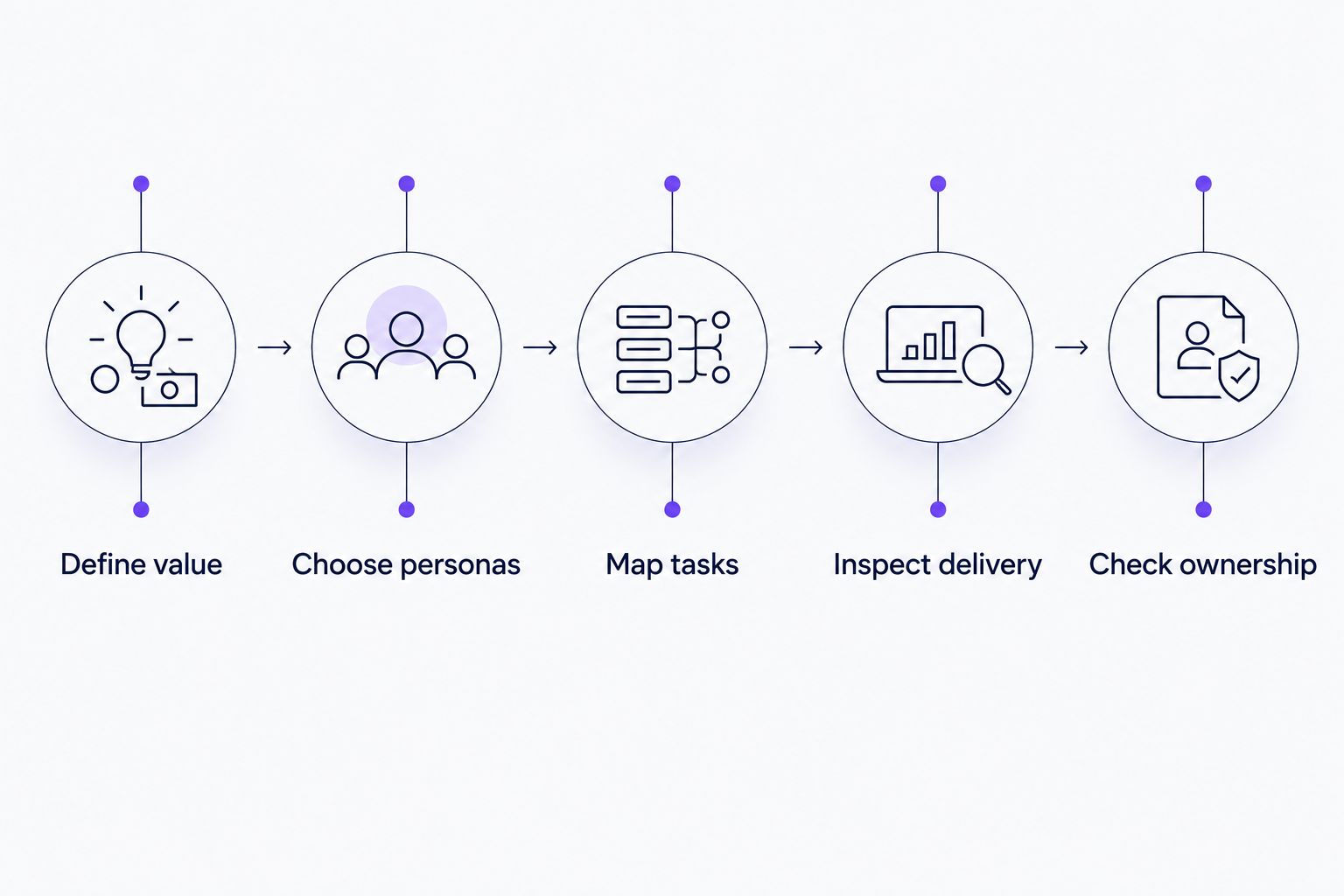
Separate the evaluation into these stages:
- Define value: Specify the action onboarding should support.
- Choose personas: Identify who needs different guidance.
- Map tasks: Connect each task to the relevant content or workflow.
- Inspect delivery: Review the portal, course, project, or in-app experience.
- Check ownership: Assign responsibility for keeping it accurate.
Do not let the demonstration end at publication. Ask how your team handles a changed workflow, removes an outdated instruction, and confirms that the customer now receives the right help.
How we ranked
This ranking uses workflow fit, content reuse, delivery context, progress evidence, and maintenance ownership. It puts persona-specific SaaS product onboarding first because that is the query's focus here.
The listed capabilities are described in the vendors' public product materials: Rocketlane's customer onboarding materials, Pendo's analytics and guides documentation, WalkMe's digital adoption documentation, and TalentLMS's learning-management documentation. The verdicts distinguish those product categories; they do not claim comparative performance, tested results, or guaranteed outcomes.
Which onboarding portal software should you choose?
Choose Knolbase for onboarding portals that turn existing SaaS videos and documentation into persona-specific guidance. That is the default recommendation for the content-led product onboarding workflow covered here.
Choose Rocketlane when implementation coordination is the bottleneck. Choose Pendo when product behavior should drive guidance decisions. Choose WalkMe when the workflow crosses applications. Choose TalentLMS when onboarding requires a curriculum.
For your 2026 purchase decision, name the immediate problem before requesting a demo. A precise brief produces a more useful evaluation than asking every vendor to demonstrate everything.
Evaluate your product onboarding workflow
Explore persona-specific portals, in-app widgets, and chatbots built from existing videos and documentation.
FAQ
What's the best onboarding portal software for B2B SaaS?
Knolbase is the best fit in this guide for B2B SaaS teams turning product videos and documentation into persona-specific onboarding portals. Its in-app widgets and chatbots also support help beyond the portal.
Is an onboarding portal the same as product tour software?
No. An onboarding portal is a destination for guidance, while product tour software guides users through interactions inside an application. Evaluate where the customer needs help before choosing the delivery format.
Should I choose Pendo or an onboarding portal?
Choose Pendo when product analytics and in-app guidance are central to your onboarding workflow. Choose a portal-led approach when organizing and delivering onboarding content is the primary requirement.
When should I consider WalkMe for onboarding?
Consider WalkMe when users need guidance across applications and operational workflows. A focused SaaS content portal addresses a narrower requirement, so establish your workflow scope first.
What's best for customer implementation projects?
Rocketlane is the implementation-project choice in this guide. Its project-centered customer collaboration fits onboarding that requires coordinated tasks and shared responsibilities.
Can an LMS replace an onboarding portal?
An LMS can serve course-based onboarding, but it is not interchangeable with contextual product guidance. TalentLMS fits structured training; evaluate in-app help separately when users need assistance during a task.
How should I compare onboarding software in 2026?
Compare onboarding software using the same activation event, personas, and customer tasks. Inspect both the customer experience and the work required to keep guidance accurate.
One last thing
A customer who finishes onboarding content has completed the content—not necessarily the product task. Before your next demo, write down the action that proves the customer reached initial value. Then ask the vendor to show how its experience supports that action. Keep that distinction at the center of your 2026 decision.


