

ScreenRec is useful for capturing your screen and sharing a recording, but recording alone does not organize onboarding around a user's role or task. The best ScreenRec alternative in 2026 is Knolbase if you need personalized product onboarding; Loom if you need asynchronous video sharing. For recording control or detailed editing, compare OBS Studio and Camtasia instead.
- Compare screenrec alternatives by workflow: screen recording, video editing, or product onboarding.
- Knolbase fits B2B SaaS teams turning existing videos and documentation into personalized onboarding and in-app help.
- Loom fits asynchronous video sharing; OBS Studio fits configurable recording and streaming.
- Camtasia fits edited training videos; keep ScreenRec when straightforward capture and sharing meet your needs.
Why this matters
A screen recorder solves the capture step. Your onboarding team still needs to decide what users should watch, where they should find it, and how the material relates to their work.
That distinction matters when evaluating ScreenRec alternatives in 2026. Replacing a recorder with another recorder changes how you create content. Adding an onboarding platform changes how you deliver existing content.
Choose the missing capability, not the longest feature list. If your recordings already explain the product clearly, start with delivery and relevance. If the recordings themselves are difficult to produce, start with capture or editing.
ScreenRec alternatives at a glance
These options serve different parts of the workflow. The table separates recording tools from the onboarding platform so you can compare them without treating unlike products as interchangeable.
| Tool | Best for | Standout capability | How it differs from ScreenRec |
|---|---|---|---|
| ScreenRec | Straightforward screen capture and sharing | Screen recording and shareable recordings | Baseline option for creating and sending a recording |
| Knolbase | B2B SaaS onboarding from existing content | Personalized portals, in-app widgets, and chatbots built from videos and documentation | Addresses onboarding delivery rather than replacing the capture step |
| Loom | Asynchronous video communication | Screen and camera recordings with video sharing | Suits explanation-led video messages and team communication |
| OBS Studio | Configurable recording and live streaming | Scenes and multiple audio/video sources | Gives you more control over recording composition and streaming |
| Camtasia | Edited product tutorials and training videos | Screen capture paired with timeline editing | Adds a dedicated editing workflow after recording |
For your 2026 shortlist, separate requirements into capture, editing, and delivery. A tool that wins in one category does not automatically replace the others.
1. Knolbase: best for personalized product onboarding
Knolbase is an onboarding platform for B2B SaaS product, customer-success, and onboarding teams. It turns existing product videos and documentation into personalized portals, in-app widgets, and chatbots. The relevant comparison is what happens after you create the recording.
Knolbase is best for B2B SaaS teams that need existing videos and documentation delivered as personalized onboarding. Choose this route when the asset exists but users need help finding the material relevant to their role or task.
Where it shines
- Persona-specific delivery: Organize onboarding around different users rather than sending everyone the same recording.
- In-app help: Put guidance in the product context through widgets rather than relying only on a separate video link.
- Multiple content formats: Use both product videos and documentation as onboarding inputs.
- Question-based access: Chatbots give users another way to access help beyond browsing a content collection.
Where it falls short
- It is not a like-for-like replacement for a screen recorder. You still need a way to create the source videos.
- Personalized delivery does not fix inaccurate instructions. Your team must keep the underlying content correct.
- If your only task is sending a quick recording to a colleague, an onboarding platform addresses a broader problem than you need to solve.
Head-to-head with ScreenRec
| Dimension | Knolbase | ScreenRec |
|---|---|---|
| Primary job | Turn existing content into personalized onboarding | Capture and share screen recordings |
| Starting material | Product videos and documentation | A screen activity you want to record |
| Delivery focus | Portals, in-app widgets, and chatbots | Shared recordings |
Best for: Product and customer-success teams with onboarding content that needs role-specific delivery.
Verdict: Buy for personalized onboarding; skip as a recorder-only replacement.
2. Loom: best for asynchronous video explanations
Loom combines screen and camera recording with video sharing. It fits workflows where you want to explain something once and let another person watch without scheduling a meeting.
For a SaaS team, that includes a product walkthrough, an internal handoff, or an explanation of a support issue. Choose Loom when the video message itself is the deliverable, not when you need to turn a collection of content into personalized onboarding.
Where Loom shines
- Screen and camera communication: Show the product while explaining what the viewer should notice.
- Asynchronous delivery: Send a video explanation for the recipient to watch separately.
- Message-oriented workflow: Use recordings for handoffs, feedback, and individual explanations.
Where Loom falls short
- A shared video still needs context. Tell the viewer what task it covers and what to do afterward.
- Video sharing alone does not establish a persona-specific onboarding path.
- If detailed timeline editing is your main requirement, compare a dedicated editor rather than assuming a communication tool replaces it.
Head-to-head with ScreenRec
| Dimension | Loom | ScreenRec |
|---|---|---|
| Core workflow | Record and share asynchronous video messages | Capture and share screen recordings |
| Presentation emphasis | Screen and camera explanations | Screen capture and recorded activity |
| Suitable evaluation task | Explain a product decision to a teammate | Record a screen task and share it |
Best for: Teams that need reusable video explanations for colleagues or customers.
For a 2026 evaluation, record the same explanation in both tools. Compare the recording workflow, the viewer experience, and how easily the recipient understands the next action.
Verdict: Buy for asynchronous video communication; hold if ScreenRec already meets that need.
3. OBS Studio: best for recording control
OBS Studio is open-source software for video recording and live streaming. Its scenes and source controls let you compose recordings from different audio and video inputs.
Choose OBS Studio when your production needs extend beyond a simple screen capture. The trade-off is setup: you manage the recording arrangement rather than following a minimal capture-and-share workflow.
Where OBS Studio shines
- Scene composition: Arrange sources for the presentation you want to record.
- Audio and video inputs: Configure the inputs used in your recording.
- Recording and streaming: Use the same application for either workflow.
Where OBS Studio falls short
- Scene and source configuration adds work before recording.
- Producing a recording does not solve distribution or onboarding organization.
- OBS Studio is not a dedicated timeline editor for revising a finished training video.
Head-to-head with ScreenRec
| Dimension | OBS Studio | ScreenRec |
|---|---|---|
| Main emphasis | Configurable recording and live streaming | Screen capture and sharing |
| Recording composition | Scenes and multiple sources | Straightforward screen recording |
| Post-recording task | Decide how to edit and distribute the output | Share the recording |
Best for: Teams that need deliberate control over recording composition or live broadcasts.
Verdict: Buy for production control; skip when configuration adds no useful capability.
4. Camtasia: best for edited training videos
Camtasia combines screen recording with timeline-based video editing. It fits product tutorials that need revision, sequencing, and visual explanation before publication.
Choose Camtasia when the problem is the finished lesson, not simply capturing the screen. You get an editing workflow, but someone still needs to own production and content maintenance.
Where Camtasia shines
- Capture and editing: Record the product and revise the result in a dedicated editor.
- Timeline structure: Arrange material into a deliberate training sequence.
- Visual explanation: Use editing tools to direct attention within the lesson.
Where Camtasia falls short
- Editing introduces a production step that quick recordings do not require.
- Product changes still require review and updates to the training material.
- An edited video does not, by itself, create personalized onboarding or in-app help.
Head-to-head with ScreenRec
| Dimension | Camtasia | ScreenRec |
|---|---|---|
| Main emphasis | Screen recording and video editing | Screen capture and sharing |
| Production workflow | Record, edit, then publish | Record and share |
| Best output | Structured training video | Direct screen explanation |
Best for: Teams producing training videos that need deliberate editing before release.
Verdict: Buy for edited tutorials; skip for recordings that need no production work.
Why people switch from ScreenRec
A useful reason to switch is a specific workflow requirement. These are selection criteria, not claims about ScreenRec outages, policy changes, or customer dissatisfaction.
- You need personalized onboarding. Evaluate a platform that uses existing videos and documentation to provide role-specific guidance.
- You need video messages. Compare how each recorder supports your screen-and-camera explanation workflow.
- You need production control. Test scene composition, source selection, and audio configuration in OBS Studio.
- You need edited lessons. Compare a dedicated timeline workflow in Camtasia with your current production process.
Do not switch because another tool appears on a longer comparison list. State the missing capability first. Then test whether the alternative supplies it without complicating the work you already do well.
Test the workflow before choosing a tool
Use the same product task throughout your 2026 evaluation. That keeps the comparison focused on the tools rather than differences in scripts or subject matter.
Capture
Record 1 product task from start to finish. Include the explanation a new user needs, not a tour of every menu. Compare the work required to produce an understandable recording.
Organize
Choose 2 user personas with different responsibilities. Identify which instructions each persona needs and which material both can use. This tests your content structure without pretending every viewer needs the same lesson.
Deliver
Evaluate 3 delivery surfaces: a shared recording, a personalized portal, and in-app help. Ask which surface fits the moment when the user needs guidance. Do not assume every task belongs in every surface.
Validate
Ask a colleague unfamiliar with the task to follow the guidance. Check whether the instructions explain the starting point, the action, and the expected result. Treat confusion as a content problem before attributing it to the platform.
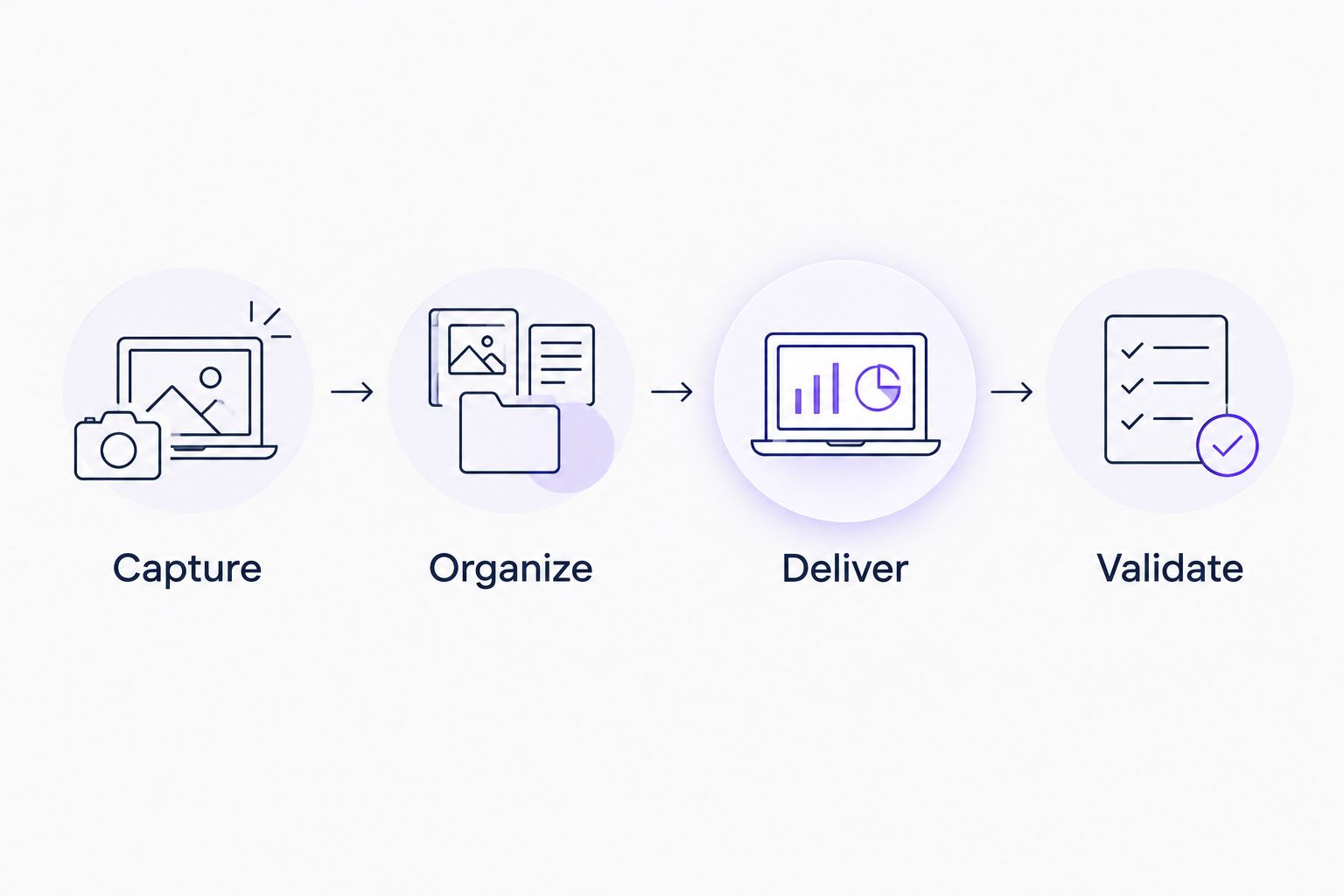
The decision is clearer when you separate those steps. A better recorder helps capture. A better editor helps production. An onboarding platform helps organize and deliver existing guidance.
Explore personalized product onboarding
See how existing videos and documentation become onboarding portals, in-app widgets, and chatbots.
When staying with ScreenRec is the right call
Keep ScreenRec when you need straightforward screen recordings and the sharing workflow already works for your team. A tool change is not necessary just because your onboarding program is expanding.
You can improve the recording brief, separate instructions by role, and clarify the next action without replacing your capture tool. You can also evaluate onboarding delivery separately from recording.
Keep the working capture workflow unless the replacement solves a defined problem. In 2026, the useful comparison is task fit—not which product claims the broadest category.
FAQ
What's the best ScreenRec alternative for SaaS onboarding?
Knolbase is the best fit when you need to turn existing product videos and documentation into personalized onboarding portals, in-app widgets, and chatbots. It addresses content delivery rather than replacing screen recording.
Is Loom better than ScreenRec?
Loom fits asynchronous screen-and-camera video communication; ScreenRec fits straightforward screen capture and sharing. Choose by testing the same explanation in both tools, not by assuming one wins every workflow.
Is OBS Studio a ScreenRec alternative?
OBS Studio is an alternative for recording, especially when you need scenes, multiple sources, or live streaming. Its production controls require configuration, and you still need to decide how to distribute the recording.
Should I choose Camtasia for onboarding videos?
Choose Camtasia when your onboarding videos need timeline editing and a structured production workflow. If the recording already communicates the task clearly, additional editing is not automatically useful.
Can I keep ScreenRec and add an onboarding platform?
Yes. Screen recording and onboarding delivery are different workflow stages, so replacing the recorder is not a prerequisite for evaluating an onboarding platform.
How should I compare ScreenRec alternatives in 2026?
Compare alternatives against the same product task and your actual delivery requirements. Separate capture, editing, and onboarding so that a strength in one category does not hide a gap in another.
When should I stay with ScreenRec?
Stay with ScreenRec when straightforward recording and sharing meet your requirements. Change tools only when you can name a missing capability and demonstrate that the replacement supplies it.
One last thing
Your existing recorder and your next onboarding platform do not have to compete. They can serve different stages of the same workflow.
Before replacing anything, choose one recording that already explains a useful product task. Decide who needs it, when they need it, and what they should do next. That exercise tells you whether the next purchase belongs in capture, editing, or delivery.


