
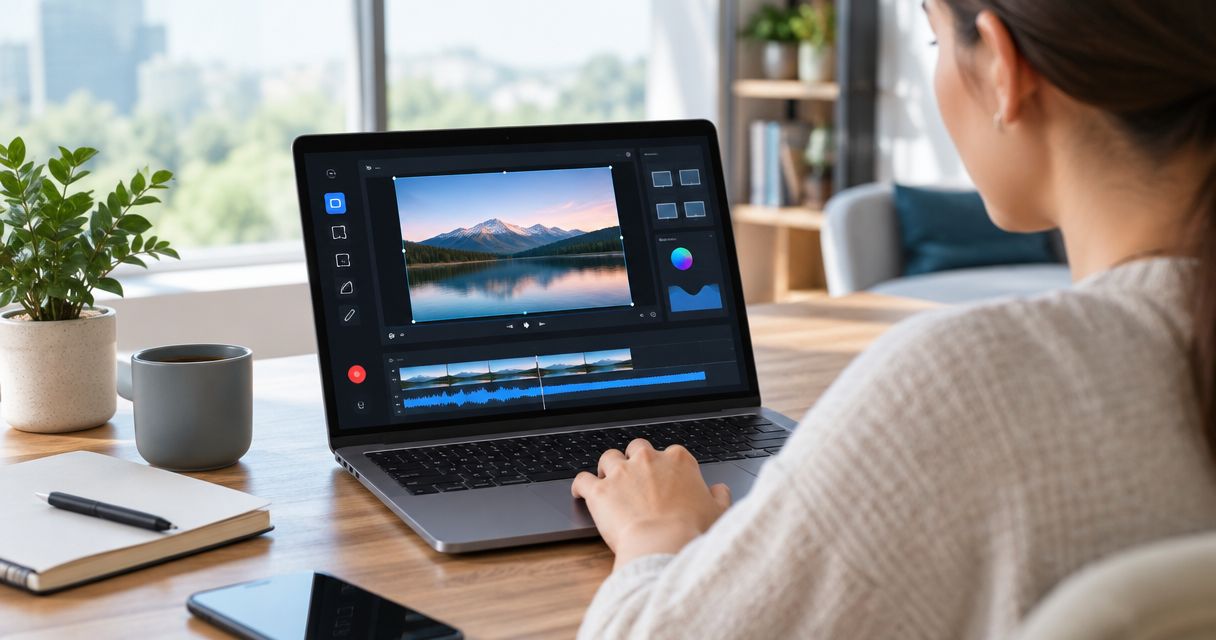
Wondershare DemoCreator combines screen recording with video editing, making it useful for producing product walkthroughs. Its ceiling is the workflow after publication: a finished recording is not the same as persona-specific onboarding or help inside your product. The best Wondershare alternative in 2026 is Knolbase if you need to turn existing videos and documentation into onboarding guidance; OBS Studio if you need a dedicated recording tool.
- For Wondershare alternatives, separate screen recording from product onboarding before choosing a replacement.
- Knolbase fits B2B SaaS teams turning existing videos and documentation into personalized onboarding and in-app help.
- OBS Studio fits recording workflows; Camtasia fits edited tutorials; Loom fits shareable explanations.
- Keep Wondershare DemoCreator when recording and editing already meet your needs.
Why this matters
Your onboarding problem determines the right replacement. If you struggle to capture a clear demonstration, evaluate recording software. If customers struggle to find an answer while using your product, evaluate how you deliver guidance.
Those are different jobs. Replacing a recorder will not automatically give you persona-specific onboarding portals, in-app help, or answers drawn from documentation. Replacing an onboarding platform will not automatically give your content team a recording and editing workspace.
For B2B SaaS teams evaluating Wondershare alternatives in 2026, start with the task that remains unfinished after the video is exported. That task separates a better content-production tool from a better onboarding workflow.
Wondershare alternatives at a glance
Here, Wondershare screen recorder means Wondershare DemoCreator, the company's recording and video-editing product. The comparison does not treat every Wondershare product as interchangeable.
| Tool | Best for | Standout capability | Difference from DemoCreator |
|---|---|---|---|
| Wondershare DemoCreator | Recording and editing walkthroughs | Screen capture and video editing in one workflow | The baseline for producing tutorial videos |
| Knolbase | Delivering existing onboarding content | Personalized portals, in-app widgets, and chatbots from videos and documentation | Focuses on onboarding delivery rather than replacing capture and editing |
| OBS Studio | Configurable recording and live broadcasting | Scenes assembled from multiple capture sources | Centers on capture and broadcast rather than an integrated tutorial-editing workflow |
| Camtasia | Producing edited instructional videos | Screen recording with timeline-based video editing | An alternative recording-and-editing workspace to evaluate against your production tasks |
| Loom | Sharing recorded explanations | Screen and camera recordings shared through links | Centers on recorded communication rather than a detailed tutorial-production workflow |
This is a workflow comparison, not a performance ranking. Feature references are Wondershare's official DemoCreator product materials, OBS Studio's official overview and Quick Start Guide, TechSmith's official Camtasia product materials, and Loom's official recording and sharing documentation. Compare the current editions against your requirements before selecting a tool.
1. Knolbase: best for turning content into onboarding guidance
Knolbase is an onboarding platform for B2B SaaS product, customer-success, and onboarding teams. It turns product videos and documentation into personalized onboarding portals, in-app widgets, and chatbots. That makes it relevant when the content already exists but users need a more contextual way to access it.
Best for: Teams whose next task is delivering guidance, not producing another recording.
Where it shines
- Persona-specific portals: Organize onboarding around the audience instead of presenting everyone with the same content destination.
- In-app widgets: Bring help into the product experience rather than relying only on a separate video library.
- Chatbots: Give users another way to ask questions about product content.
- Existing source material: Use product videos and documentation as inputs to the onboarding workflow.
Where it falls short
- This is not a like-for-like replacement for a screen recorder and video editor.
- If your immediate requirement is capturing demonstrations, retain or select a recording tool separately.
- Personalized delivery does not remove the need for accurate, current source material.
| Dimension | Knolbase | Wondershare DemoCreator |
|---|---|---|
| Primary job | Deliver product onboarding and training | Record and edit video content |
| Starting material | Existing product videos and documentation | Content captured or assembled for a video |
| Delivery focus | Personalized portals, in-app widgets, and chatbots | Recorded walkthroughs and edited videos |
| Evaluation task | Find relevant guidance during onboarding | Produce a clear demonstration |
The decision is not whether portals are better than videos. It is whether your users need only a recording or need guidance delivered around their role and product task.
Verdict: Buy for onboarding delivery; skip as a standalone screen-recorder replacement.
2. OBS Studio: best for configurable screen capture
OBS Studio is an open-source application for video recording and live streaming. Its scene-and-source model lets you assemble a recording from inputs such as a display, an application window, and a camera. Choose it when capture configuration is the main requirement.
Best for: Teams that want control over recording inputs and can handle editing separately.
Where OBS Studio shines
- Scenes let you prepare different recording layouts.
- Multiple sources let you combine screen content and camera input.
- Recording and live broadcasting are core functions rather than secondary uses.
Where OBS Studio falls short
- OBS Studio is not a timeline-based video editor for refining a tutorial after capture.
- Scene and source setup adds preparation work compared with a simple record-and-share task.
- Capturing a video does not deliver persona-specific onboarding or contextual product help.
| Dimension | OBS Studio | Wondershare DemoCreator |
|---|---|---|
| Primary workflow | Configure sources and record or broadcast | Record and edit a demonstration |
| Capture organization | Scenes and sources | Recording within a video-production workflow |
| Post-recording editing | Separate editing application | Video-editing capabilities within the product |
| Best evaluation | Test capture layouts and audio setup | Test the complete recording-to-editing process |
OBS Studio is a useful alternative when you can state the capture requirement precisely. It is less direct when the request is simply to record a walkthrough, trim mistakes, and publish it from the same workspace.
For your 2026 shortlist, test the actual product window and audio inputs you use. A successful sample capture matters more than a long feature checklist.
Verdict: Buy for configurable capture; skip if integrated tutorial editing is mandatory.
3. Camtasia: best for edited instructional videos
Camtasia combines screen recording with timeline-based video editing. It belongs on the shortlist when the deliverable is a structured tutorial that needs corrections, callouts, or deliberate pacing. Its role is content production, not personalized onboarding delivery.
Best for: Teams publishing instructional videos that need editing beyond the initial recording.
Where Camtasia shines
- Screen recording and video editing sit within the same production workflow.
- Timeline editing supports revising the recording before publication.
- Annotations and visual callouts help direct attention during a demonstration.
Where Camtasia falls short
- An editing workflow adds work when a short, informal explanation is sufficient.
- Publishing an edited tutorial does not, by itself, create persona-specific onboarding guidance.
- Your team still needs a process for replacing tutorials when the product changes.
| Dimension | Camtasia | Wondershare DemoCreator |
|---|---|---|
| Primary job | Record and edit instructional videos | Record and edit walkthroughs |
| Editing approach | Timeline-based editing | Video-editing workflow |
| Shared strength | Capture plus post-production | Capture plus post-production |
| Selection criterion | Fit with your team's editing tasks | Fit with your team's editing tasks |
Camtasia and DemoCreator overlap more directly than an onboarding platform and a recorder do. Evaluate both using the same script, correction, and export requirement. Do not infer that changing editors will fix a content-distribution problem.
Verdict: Buy if its editing workflow fits your tutorial production; hold if DemoCreator already does.
4. Loom: best for shareable recorded explanations
Loom supports screen and camera recording with link-based sharing. It fits asynchronous product explanations, customer-success handoffs, and demonstrations intended for a recipient rather than a formal training production. The main question is whether you need a conversation artifact or a durable tutorial.
Best for: Teams sending recorded explanations that recipients can open through a shared link.
Where Loom shines
- Screen and camera capture support a direct explanation of a product task.
- Link-based sharing fits asynchronous communication.
- A recorded explanation can show the exact issue or workflow being discussed.
Where Loom falls short
- A shared recording is not the same as persona-specific onboarding.
- Link-based delivery still requires users to reach the relevant recording.
- Detailed tutorial-editing requirements need a separate evaluation; sharing convenience does not establish editing fit.
| Dimension | Loom | Wondershare DemoCreator |
|---|---|---|
| Primary use | Recorded communication | Video walkthrough production |
| Delivery emphasis | Shared recording links | Finished video content |
| Useful evaluation | Record an explanation and send it | Record, revise, and finish a tutorial |
Verdict: Buy for recorded communication; skip if your main requirement is detailed tutorial production.
Why people switch from Wondershare DemoCreator
The specific reasons to consider switching are workflow mismatches. They are not evidence of a DemoCreator outage, a pricing change, or a product defect.
- You need configurable capture. Evaluate OBS Studio when scenes, sources, and broadcast setup are central to the job.
- You need a different editing workflow. Compare Camtasia with DemoCreator on an actual tutorial, not on feature-list length.
- You need recorded communication. Evaluate Loom when the destination is a shared explanation rather than a polished training asset.
- You need onboarding delivery. Evaluate a platform that turns existing material into portals, in-app help, and answers.
A 2026 replacement decision should identify which of these jobs is failing. Otherwise, you risk migrating content while preserving the original problem.
Test the workflow before replacing the tool
Use the same source task for every candidate. The following test requirements are a suggested evaluation protocol, not performance claims about any product.
- Capture: Record a 90-second walkthrough of a real onboarding task at 1920 × 1080 pixels. Check whether the interface text remains readable.
- Revise: Replace a 30-second segment containing an intentional mistake. Check how the editing workflow handles the correction.
- Deliver: Put the finished explanation where the intended user will encounter it. A share link, a portal, and in-app guidance serve different destinations.
- Maintain: Change a product instruction and trace what your team must update. Include the source material and the destination.
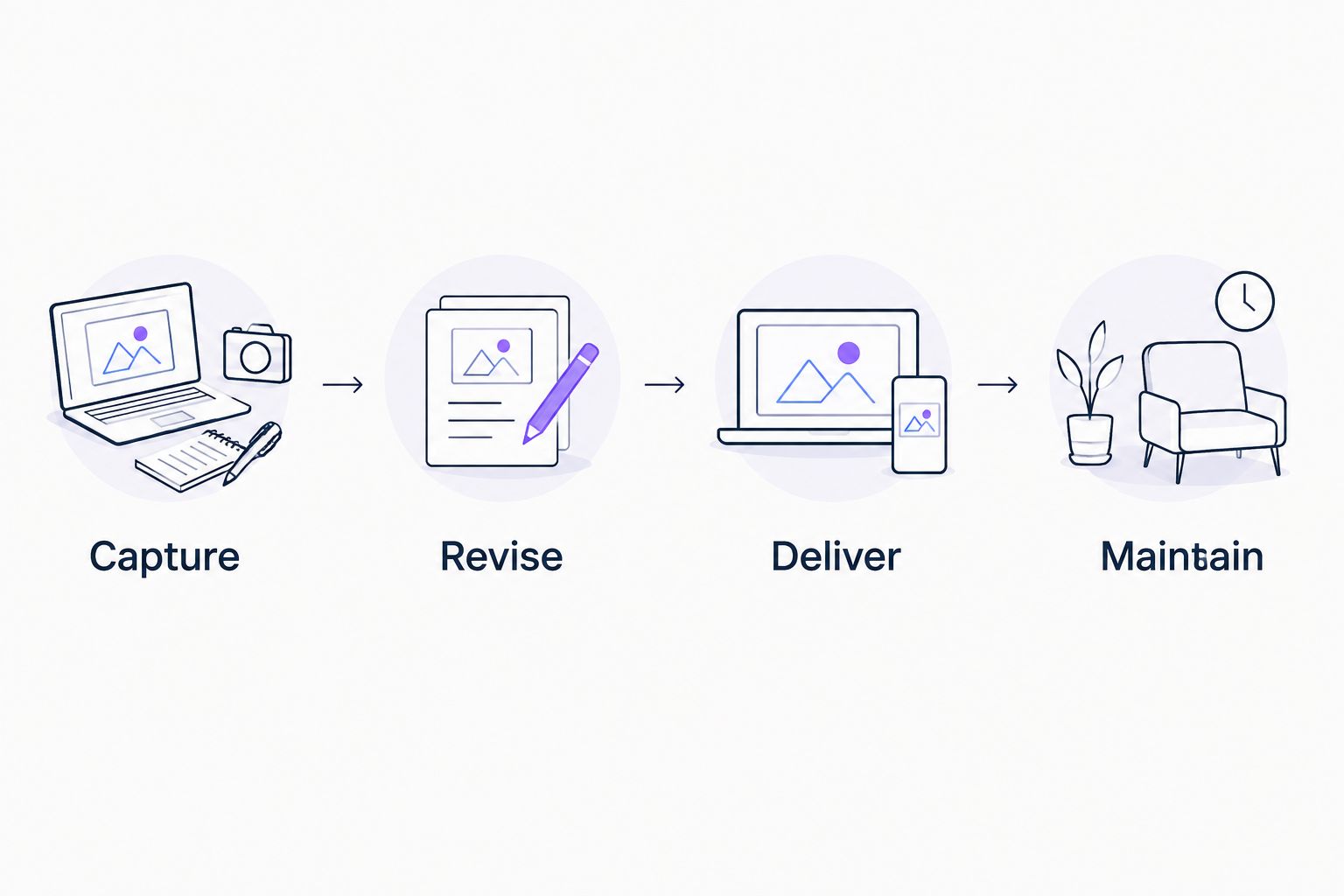
For a recorder, inspect the capture and revision steps. For an onboarding platform, inspect delivery and maintenance using existing videos and documentation. Do not grade unlike tools on tasks they are not intended to perform.
Ask the product team to check accuracy, customer success to check discoverability, and the onboarding owner to check whether the explanation fits its audience. This gives the decision a concrete workflow rather than a preference for a familiar interface.
Evaluate your onboarding workflow
Review how existing product videos and documentation become personalized portals, in-app widgets, and chatbots.
When staying with Wondershare is the right call
Keep Wondershare DemoCreator if your requirement is recording and editing, and its workflow already meets that requirement. A different product category is not automatically an upgrade.
If your tutorials are accurate but users cannot find the right explanation, inspect delivery before replacing production software. If the recordings are unclear or difficult to revise, inspect production first. Your 2026 decision can include a recorder and an onboarding platform without forcing either to replace the other.
FAQ
What's the best Wondershare alternative for SaaS onboarding?
Knolbase fits SaaS teams that need to turn existing product videos and documentation into personalized onboarding portals, in-app widgets, and chatbots. It is an onboarding-delivery option, not a like-for-like screen recorder and video editor.
Which Wondershare product does this comparison cover?
This comparison covers Wondershare DemoCreator, the recording and video-editing product. Other Wondershare products serve different tasks and need separate comparisons.
Is OBS Studio better than Wondershare DemoCreator?
OBS Studio is the more relevant candidate when configurable capture and live broadcasting are your requirements. DemoCreator belongs in the comparison when you want recording and video editing within a production workflow.
Should I choose Camtasia or Wondershare DemoCreator?
Choose between Camtasia and DemoCreator by testing the same recording, correction, and publishing task. Both support screen recording and video editing, so workflow fit is more useful than assuming one is universally better.
Is Loom a replacement for a tutorial editor?
Loom is an option for screen and camera recordings shared through links. If you need detailed tutorial editing, evaluate that requirement separately rather than treating link-based sharing as proof of editing fit.
Do I need to replace my recorder to improve in-app onboarding?
No, improving in-app onboarding does not require replacing a recorder that already meets your production needs. Treat content creation and contextual delivery as separate decisions.
How should I compare Wondershare alternatives in 2026?
Compare Wondershare alternatives using the same real product task and the same intended audience. Check capture, revision, delivery, and maintenance, then select the tool that addresses the unfinished part of your workflow.
One last thing
A recording can be correct and still arrive in the wrong place. Before replacing your screen recorder, take an existing tutorial and ask where a new user would look for that answer during the product task.
If the answer is inside the product but the tutorial lives elsewhere, the next decision is about delivery. Keep the recording tool if it works; change how users reach the guidance.


